<?xml version="1.0" encoding="utf-8"?><feed xmlns="http://www.w3.org/2005/Atom" ><generator uri="https://jekyllrb.com/" version="3.10.0">Jekyll</generator><link href="https://dleontev.com/feed.xml" rel="self" type="application/atom+xml" /><link href="https://dleontev.com/" rel="alternate" type="text/html" /><updated>2026-10-03T06:28:44+00:00</updated><id>https://dleontev.com/feed.xml</id><title type="html">Dimitriy Leontev | Microsoft 365, Systems &amp;amp; Cloud</title><subtitle>Practical Microsoft 365, identity, systems, and cloud operations projects and articles by Dimitriy Leontev.</subtitle><author><name>Dimitriy Leontev</name><email>info@dleontev.com</email></author><entry><title type="html">Where Did the Email Go? Troubleshooting Exchange Online with Message Trace</title><link href="https://dleontev.com/blog/where-did-the-email-go-troubleshooting-exchange-online-with-message-trace" rel="alternate" type="text/html" title="Where Did the Email Go? Troubleshooting Exchange Online with Message Trace" /><published>2026-09-27T00:00:00+00:00</published><updated>2026-09-27T00:00:00+00:00</updated><id>https://dleontev.com/blog/where-did-the-email-go-troubleshooting-exchange-online-with-message-trace</id><content type="html" xml:base="https://dleontev.com/blog/where-did-the-email-go-troubleshooting-exchange-online-with-message-trace"><![CDATA[<p>“The supplier sent it, but I never received it.”</p>

<p>The message might have failed before reaching Microsoft 365, been quarantined, reached another recipient, or landed in an unexpected folder.</p>

<p>Exchange Online message trace shows what happened as the message passed through the service. Start with that history, then follow the result into the mailbox or the next mail system.</p>

<p>Let’s work through a sample case: Alex is waiting for a supplier’s delivery schedule.</p>

<details class="article-toc">
  <summary>On this page</summary>
  <nav aria-label="On this page">

<ul id="markdown-toc">
  <li><a href="#start-with-one-specific-message" id="markdown-toc-start-with-one-specific-message">Start with one specific message</a></li>
  <li><a href="#run-a-focused-trace" id="markdown-toc-run-a-focused-trace">Run a focused trace</a></li>
  <li><a href="#use-the-result-to-choose-the-next-check" id="markdown-toc-use-the-result-to-choose-the-next-check">Use the result to choose the next check</a></li>
  <li><a href="#worked-example-delivered-but-missing-from-the-inbox" id="markdown-toc-worked-example-delivered-but-missing-from-the-inbox">Worked example: Delivered, but missing from the Inbox</a>    <ul>
      <li><a href="#following-up-on-a-missing-message" id="markdown-toc-following-up-on-a-missing-message">Following up on a missing message</a></li>
    </ul>
  </li>
  <li><a href="#if-the-trace-finds-nothing" id="markdown-toc-if-the-trace-finds-nothing">If the trace finds nothing</a></li>
  <li><a href="#if-the-message-was-quarantined-or-failed" id="markdown-toc-if-the-message-was-quarantined-or-failed">If the message was quarantined or failed</a></li>
  <li><a href="#optional-reproduce-the-investigation-in-powershell" id="markdown-toc-optional-reproduce-the-investigation-in-powershell">Optional: reproduce the investigation in PowerShell</a></li>
  <li><a href="#record-what-solved-the-problem" id="markdown-toc-record-what-solved-the-problem">Record what solved the problem</a></li>
  <li><a href="#references" id="markdown-toc-references">References</a></li>
</ul>

  </nav>
</details>

<h2 id="start-with-one-specific-message">Start with one specific message</h2>

<p>Start with enough detail to find the right message:</p>

<ul>
  <li>The sender’s email address and the exact intended recipient address.</li>
  <li>The approximate send time, including the time zone.</li>
  <li>The subject and whether the message was a new email, reply, or forward.</li>
  <li>The original Message-ID from the headers, if available.</li>
  <li>Any nondelivery report, including its diagnostic text.</li>
  <li>Whether other recipients received the same message.</li>
</ul>

<p>Ask the sender for the original message’s headers and copy the <code class="language-plaintext highlighter-rouge">Message-ID</code> value. If the headers aren’t available, start with the sender, recipient, time, and subject.</p>

<p>For this example, the ticket contains:</p>

<table>
  <thead>
    <tr>
      <th>Field</th>
      <th>Example value</th>
    </tr>
  </thead>
  <tbody>
    <tr>
      <td>Sender</td>
      <td><code class="language-plaintext highlighter-rouge">dispatch@example.net</code></td>
    </tr>
    <tr>
      <td>Recipient</td>
      <td><code class="language-plaintext highlighter-rouge">alex@example.com</code></td>
    </tr>
    <tr>
      <td>Subject</td>
      <td>Updated delivery schedule</td>
    </tr>
    <tr>
      <td>Reported send time</td>
      <td>24 September 2026, 09:14 PDT / 16:14 UTC</td>
    </tr>
    <tr>
      <td>Message-ID</td>
      <td><code class="language-plaintext highlighter-rouge">&lt;training-20260924-0914@example.net&gt;</code></td>
    </tr>
    <tr>
      <td>User’s observation</td>
      <td>Message is not visible in the Inbox</td>
    </tr>
  </tbody>
</table>

<h2 id="run-a-focused-trace">Run a focused trace</h2>

<p>In the <a href="https://admin.exchange.microsoft.com">Exchange admin center</a>, open <strong>Mail flow → Message trace → Start a trace</strong>.</p>

<ol>
  <li>Set <strong>Senders</strong> to <code class="language-plaintext highlighter-rouge">dispatch@example.net</code> and <strong>Recipients</strong> to <code class="language-plaintext highlighter-rouge">alex@example.com</code>.</li>
  <li>Switch <strong>Time range</strong> to <strong>Custom time range</strong>. Select UTC and enter 24 September 2026, <strong>16:00–16:30</strong>.</li>
  <li>Leave <strong>Delivery status</strong> at <strong>All</strong>. Under <strong>Detailed search options</strong>, enter the original <strong>Message ID</strong> if you have it, including its angle brackets.</li>
  <li>Choose <strong>Summary report</strong> and select <strong>Search</strong>.</li>
</ol>

<p>Open the row matching the recipient, subject, and time. Expand <strong>More information</strong> to check the Message ID, then <strong>Message events</strong> to read the delivery history. Each recipient has a separate result, so follow Alex’s row for this investigation.</p>

<h2 id="use-the-result-to-choose-the-next-check">Use the result to choose the next check</h2>

<p>Read the status alongside the recipient’s event details to decide where to look next.</p>

<table>
  <thead>
    <tr>
      <th>Trace result</th>
      <th>Next check</th>
    </tr>
  </thead>
  <tbody>
    <tr>
      <td>Delivered</td>
      <td>Confirm the destination and delivery details, then investigate mailbox visibility.</td>
    </tr>
    <tr>
      <td>Failed</td>
      <td>Capture the failure event and diagnostic response; compare them with the sender’s nondelivery report.</td>
    </tr>
    <tr>
      <td>Pending</td>
      <td>Inspect the latest event and the reason delivery is being retried.</td>
    </tr>
    <tr>
      <td>Getting status</td>
      <td>Allow time for the trace to update, then refresh.</td>
    </tr>
    <tr>
      <td>Quarantined</td>
      <td>Review the matching item and detection reason in quarantine.</td>
    </tr>
    <tr>
      <td>Expanded</td>
      <td>Open the group members’ results and follow the intended recipient’s delivery events.</td>
    </tr>
    <tr>
      <td>No matching result</td>
      <td>Recheck the addresses, time window, and search filters.</td>
    </tr>
  </tbody>
</table>

<p>For a <strong>Delivered</strong> result, inspect the events and then search the destination mailbox. Rules and filtering can place mail outside the Inbox.</p>

<p>For external recipients, follow the handoff to the receiving system. Its logs are needed to investigate what happened after it accepted the message.</p>

<h2 id="worked-example-delivered-but-missing-from-the-inbox">Worked example: Delivered, but missing from the Inbox</h2>

<p>Two events give us the starting point:</p>

<table>
  <thead>
    <tr>
      <th>Time, UTC</th>
      <th>Event</th>
      <th>What happened</th>
    </tr>
  </thead>
  <tbody>
    <tr>
      <td>16:14:08</td>
      <td>Receive</td>
      <td>Microsoft 365 received the message.</td>
    </tr>
    <tr>
      <td>16:14:11</td>
      <td>Deliver</td>
      <td>Delivery to Alex’s mailbox was recorded.</td>
    </tr>
  </tbody>
</table>

<p>With delivery to Alex’s mailbox recorded, the next checks happen in the mailbox:</p>

<ol>
  <li><strong>Open the destination mailbox in Outlook on the web with the user.</strong> Confirm which mailbox receives mail for that address, including aliases or shared mailboxes. Compare what appears there with the desktop client.</li>
  <li><strong>Search across folders.</strong> Use the sender, subject, and date. Check Junk Email, Deleted Items, Archive, and user-created folders; remove view filters that could hide the result.</li>
  <li><strong>Inspect Inbox rules under Settings → Mail → Rules.</strong> Open an enabled rule matching the sender or subject. Check its action, destination folder, and exceptions.</li>
  <li><strong>Test a likely rule.</strong> Ask the sender for a new message that matches the rule’s conditions, adding a unique subject marker such as <code class="language-plaintext highlighter-rouge">[trace-test-01]</code>. Check whether it arrives in the folder named by the rule.</li>
</ol>

<p>In this scenario, Alex finds the original email in <strong>Supplier updates</strong>. An enabled rule moves mail from <code class="language-plaintext highlighter-rouge">dispatch@example.net</code> into that folder, and a test message from the same sender follows the same route.</p>

<p>Alex can now open the missing message. The trace led us to the mailbox; the search and test supplied the explanation. If Alex wants this sorting rule turned off, disable it in <strong>Settings → Mail → Rules</strong> and repeat the test. The expected result is a new message in the Inbox that Alex can open.</p>

<h3 id="following-up-on-a-missing-message">Following up on a missing message</h3>

<p>If the message appears on the web but not in desktop Outlook, investigate the desktop view and synchronization. If neither shows it after a folder search, use the recipient, Message-ID, and delivery time to investigate mailbox audit records or security events for a later move or removal. For example, zero-hour auto purge can act on a message after delivery.</p>

<h2 id="if-the-trace-finds-nothing">If the trace finds nothing</h2>

<p>Before moving to another system’s logs, check the search itself:</p>

<ol>
  <li>Recheck the tenant, recipient spelling, aliases, and time-zone conversion.</li>
  <li>Widen the time window. Use the original send time, which may differ from the time the message was forwarded to the help desk.</li>
  <li>Remove one uncertain filter at a time. Try the exact recipient and time window without the sender or subject constraint.</li>
  <li>Allow for trace ingestion delay. Microsoft documents approximately five to ten minutes before a newly sent message appears.</li>
  <li>Ask the sending administrator for the actual sending address and delivery evidence. Trace searches use the SMTP <strong>MAIL FROM</strong>, which can differ from the From address the user sees.</li>
</ol>

<p>If the search is still empty, check the sending system or upstream gateway’s logs. Ask its administrator for the recipient, timestamp with time zone, Message-ID, destination server, and SMTP response. Those logs can reveal a connection-stage rejection, such as an IP reputation block, that left no searchable trace.</p>

<h2 id="if-the-message-was-quarantined-or-failed">If the message was quarantined or failed</h2>

<p>For a quarantined result, open <a href="https://security.microsoft.com/quarantine">Microsoft Defender quarantine</a>, filter by recipient and received date, and match the sender and subject. Open the item to check why it was held, which policy acted, and whether it has already been released. If reviewing the message confirms a false positive, release it, report the misclassification, and check that the recipient can find and open it.</p>

<p>For a failed result, compare the trace’s diagnostic response with the sender’s nondelivery report. Together, they help point to an address problem, policy action, or receiving-system error. Include both in the ticket so the next administrator can pick up the investigation.</p>

<h2 id="optional-reproduce-the-investigation-in-powershell">Optional: reproduce the investigation in PowerShell</h2>

<p>Run these blocks in order in the same PowerShell window. Replace <code class="language-plaintext highlighter-rouge">admin@example.com</code> with your administrative sign-in, and the sample sender, recipient, dates, and Message-ID with the incident details.</p>

<p>If <code class="language-plaintext highlighter-rouge">ExchangeOnlineManagement</code> isn’t installed, run <code class="language-plaintext highlighter-rouge">Install-Module ExchangeOnlineManagement -Scope CurrentUser</code> first. Then connect and check that both V2 commands are available:</p>

<div class="language-powershell highlighter-rouge"><div class="highlight"><pre class="highlight"><code><span class="n">Import-Module</span><span class="w"> </span><span class="nx">ExchangeOnlineManagement</span><span class="w"> </span><span class="nt">-ErrorAction</span><span class="w"> </span><span class="nx">Stop</span><span class="w">
</span><span class="n">Connect-ExchangeOnline</span><span class="w"> </span><span class="nt">-UserPrincipalName</span><span class="w"> </span><span class="s1">'admin@example.com'</span><span class="w"> </span><span class="nt">-ErrorAction</span><span class="w"> </span><span class="nx">Stop</span><span class="w">
</span><span class="n">Get-Command</span><span class="w"> </span><span class="nx">Get-MessageTraceV2</span><span class="p">,</span><span class="w"> </span><span class="nx">Get-MessageTraceDetailV2</span><span class="w"> </span><span class="nt">-ErrorAction</span><span class="w"> </span><span class="nx">Stop</span><span class="w">
</span></code></pre></div></div>

<p>After sign-in, <code class="language-plaintext highlighter-rouge">Get-Command</code> should list both command names. If either is missing, update a current-user installation with <code class="language-plaintext highlighter-rouge">Update-Module ExchangeOnlineManagement -Scope CurrentUser</code>, then reconnect in a new PowerShell window.</p>

<p>Use explicit UTC values for the sample window:</p>

<div class="language-powershell highlighter-rouge"><div class="highlight"><pre class="highlight"><code><span class="nv">$query</span><span class="w"> </span><span class="o">=</span><span class="w"> </span><span class="p">@{</span><span class="w">
    </span><span class="nx">SenderAddress</span><span class="w">    </span><span class="o">=</span><span class="w"> </span><span class="s1">'dispatch@example.net'</span><span class="w">
    </span><span class="nx">RecipientAddress</span><span class="w"> </span><span class="o">=</span><span class="w"> </span><span class="s1">'alex@example.com'</span><span class="w">
    </span><span class="nx">StartDate</span><span class="w"> </span><span class="o">=</span><span class="w"> </span><span class="p">[</span><span class="n">DateTimeOffset</span><span class="p">]</span><span class="err">::</span><span class="nx">Parse</span><span class="err">(</span><span class="s1">'2026-09-24T16:00:00Z'</span><span class="err">).</span><span class="nx">UtcDateTime</span><span class="w">
    </span><span class="nx">EndDate</span><span class="w">   </span><span class="o">=</span><span class="w"> </span><span class="p">[</span><span class="n">DateTimeOffset</span><span class="p">]</span><span class="err">::</span><span class="nx">Parse</span><span class="err">(</span><span class="s1">'2026-09-24T16:30:00Z'</span><span class="err">).</span><span class="nx">UtcDateTime</span><span class="w">
    </span><span class="nx">ResultSize</span><span class="w"> </span><span class="o">=</span><span class="w"> </span><span class="mi">1000</span><span class="w">
</span><span class="p">}</span><span class="w">

</span><span class="nv">$traceRows</span><span class="w"> </span><span class="o">=</span><span class="w"> </span><span class="p">@(</span><span class="err">Get-MessageTraceV</span><span class="mi">2</span><span class="w"> </span><span class="err">@query</span><span class="w"> </span><span class="err">-ErrorAction</span><span class="w"> </span><span class="err">Stop</span><span class="p">)</span><span class="w">
</span><span class="s1">'Matching trace rows: {0}'</span><span class="w"> </span><span class="nt">-f</span><span class="w"> </span><span class="nv">$traceRows</span><span class="o">.</span><span class="nf">Count</span><span class="w">
</span><span class="nv">$traceRows</span><span class="w"> </span><span class="o">|</span><span class="w"> </span><span class="n">Format-List</span><span class="w"> </span><span class="nx">Received</span><span class="p">,</span><span class="w"> </span><span class="nx">SenderAddress</span><span class="p">,</span><span class="w"> </span><span class="nx">RecipientAddress</span><span class="p">,</span><span class="w">
    </span><span class="n">Subject</span><span class="p">,</span><span class="w"> </span><span class="nx">Status</span><span class="p">,</span><span class="w"> </span><span class="nx">MessageId</span><span class="p">,</span><span class="w"> </span><span class="nx">MessageTraceId</span><span class="w">
</span></code></pre></div></div>

<p>The output lists the matching rows and their status, Message-ID, and trace ID. A count of zero takes you back to <strong>If the trace finds nothing</strong> above. At 1,000 rows, shorten the time window and rerun the query to get below the result cap. <code class="language-plaintext highlighter-rouge">Get-MessageTraceV2</code> searches the previous 90 days, up to ten days per query, and returns UTC timestamps.</p>

<p>Select the message by its original Message-ID, then retrieve its event details. If you started without headers, copy <code class="language-plaintext highlighter-rouge">MessageId</code> from the row you’ve matched by recipient, subject, and time:</p>

<div class="language-powershell highlighter-rouge"><div class="highlight"><pre class="highlight"><code><span class="nv">$selected</span><span class="w"> </span><span class="o">=</span><span class="w"> </span><span class="p">@(</span><span class="nv">$traceRows</span><span class="w"> </span><span class="err">|</span><span class="w"> </span><span class="err">Where-Object</span><span class="w"> </span><span class="p">{</span><span class="w">
    </span><span class="bp">$_</span><span class="o">.</span><span class="nf">MessageId</span><span class="w"> </span><span class="o">-eq</span><span class="w"> </span><span class="s1">'&lt;training-20260924-0914@example.net&gt;'</span><span class="w">
</span><span class="p">})</span><span class="w">

</span><span class="kr">if</span><span class="w"> </span><span class="p">(</span><span class="nv">$selected</span><span class="o">.</span><span class="nf">Count</span><span class="w"> </span><span class="o">-ne</span><span class="w"> </span><span class="mi">1</span><span class="p">)</span><span class="w"> </span><span class="p">{</span><span class="w">
    </span><span class="kr">throw</span><span class="w"> </span><span class="s2">"Found </span><span class="si">$(</span><span class="nv">$selected</span><span class="o">.</span><span class="nf">Count</span><span class="si">)</span><span class="s2"> rows. Recheck the Message-ID and narrow the query."</span><span class="w">
</span><span class="p">}</span><span class="w">

</span><span class="nv">$detailQuery</span><span class="w"> </span><span class="o">=</span><span class="w"> </span><span class="p">@{</span><span class="w">
    </span><span class="nx">MessageTraceId</span><span class="w">   </span><span class="o">=</span><span class="w"> </span><span class="nv">$selected</span><span class="p">[</span><span class="mi">0</span><span class="p">]</span><span class="err">.</span><span class="nx">MessageTraceId</span><span class="w">
    </span><span class="nx">RecipientAddress</span><span class="w"> </span><span class="o">=</span><span class="w"> </span><span class="nv">$selected</span><span class="p">[</span><span class="mi">0</span><span class="p">]</span><span class="err">.</span><span class="nx">RecipientAddress</span><span class="w">
    </span><span class="nx">StartDate</span><span class="w"> </span><span class="o">=</span><span class="w"> </span><span class="nv">$query</span><span class="err">.</span><span class="nx">StartDate</span><span class="w">
    </span><span class="nx">EndDate</span><span class="w">   </span><span class="o">=</span><span class="w"> </span><span class="nv">$query</span><span class="err">.</span><span class="nx">EndDate</span><span class="w">
</span><span class="p">}</span><span class="w">

</span><span class="n">Get-MessageTraceDetailV2</span><span class="w"> </span><span class="err">@</span><span class="nx">detailQuery</span><span class="w"> </span><span class="nt">-ErrorAction</span><span class="w"> </span><span class="nx">Stop</span><span class="w"> </span><span class="o">|</span><span class="w"> </span><span class="n">Format-List</span><span class="w">
</span></code></pre></div></div>

<p>The original Message-ID selects the message; Exchange’s returned <code class="language-plaintext highlighter-rouge">MessageTraceId</code> retrieves its events for that recipient and date window. Read each event’s time and detail. For Alex’s example, the <strong>Receive</strong> and <strong>Deliver</strong> events lead to the mailbox checks described above.</p>

<p>When finished with the session:</p>

<div class="language-powershell highlighter-rouge"><div class="highlight"><pre class="highlight"><code><span class="n">Disconnect-ExchangeOnline</span><span class="w"> </span><span class="nt">-Confirm</span><span class="p">:</span><span class="bp">$false</span><span class="w">
</span></code></pre></div></div>

<h2 id="record-what-solved-the-problem">Record what solved the problem</h2>

<p>The closing note can be brief:</p>

<blockquote>
  <p><strong>Finding:</strong> Delivery to Alex’s mailbox was recorded at 16:14:11 UTC on 24 September. The original message was located in Supplier updates.</p>

  <p><strong>Supporting check:</strong> An enabled sender-based rule targets that folder. A test message followed the same route.</p>

  <p><strong>User verification:</strong> Alex opened the original message and confirmed access to the updated schedule.</p>

  <p><strong>Action:</strong> Showed Alex where these supplier messages arrive.</p>
</blockquote>

<p>For an open case, include the sender, recipient, UTC search window, Message-ID, last event or diagnostic response, and next check with its owner. This gives the next engineer enough detail to repeat the search and continue from the same point.</p>

<h2 id="references">References</h2>

<ul>
  <li><strong>Message trace:</strong> Microsoft’s <a href="https://learn.microsoft.com/en-us/exchange/monitoring/trace-an-email-message/message-trace-modern-eac">Exchange admin center guide</a> and <a href="https://learn.microsoft.com/en-us/exchange/monitoring/trace-an-email-message/message-trace-faq">FAQ</a> cover searches, statuses, timing, and limitations.</li>
  <li><strong>PowerShell:</strong> <a href="https://learn.microsoft.com/en-us/powershell/exchange/exchange-online-powershell-v2#install-and-update-the-exchange-online-powershell-module">Module installation</a>, <a href="https://learn.microsoft.com/en-us/powershell/exchange/connect-to-exchange-online-powershell?view=exchange-ps">connection setup</a>, <a href="https://learn.microsoft.com/en-us/powershell/module/exchangepowershell/get-messagetracev2?view=exchange-ps">Get-MessageTraceV2</a>, and <a href="https://learn.microsoft.com/en-us/powershell/module/exchangepowershell/get-messagetracedetailv2?view=exchange-ps">Get-MessageTraceDetailV2</a> cover setup, query limits, and event details.</li>
  <li><strong>Inbox rules:</strong> <a href="https://support.microsoft.com/en-us/outlook/mail/manage-email-messages-by-using-rules-in-outlook">Manage email messages using rules in Outlook</a>.</li>
  <li><strong>Post-delivery actions:</strong> <a href="https://learn.microsoft.com/en-us/defender-office-365/zero-hour-auto-purge">Zero-hour auto purge</a>.</li>
  <li><strong>Quarantine:</strong> <a href="https://learn.microsoft.com/en-us/defender-office-365/quarantine-admin-manage-messages-files">Manage quarantined messages</a>, including permissions, review, and release.</li>
</ul>]]></content><author><name>Dimitriy Leontev</name><email>info@dleontev.com</email></author><category term="Microsoft 365" /><category term="Exchange Online" /><category term="Troubleshooting" /><category term="PowerShell" /><summary type="html"><![CDATA[Investigate a missing email with Exchange Online message trace, interpret delivery events, and follow the evidence into the mailbox or the next mail system.]]></summary></entry><entry><title type="html">Building a Practical Microsoft 365 Service Ownership Framework</title><link href="https://dleontev.com/blog/microsoft-365-service-ownership-framework" rel="alternate" type="text/html" title="Building a Practical Microsoft 365 Service Ownership Framework" /><published>2026-08-27T00:00:00+00:00</published><updated>2026-08-27T00:00:00+00:00</updated><id>https://dleontev.com/blog/microsoft-365-service-ownership-framework</id><content type="html" xml:base="https://dleontev.com/blog/microsoft-365-service-ownership-framework"><![CDATA[<p>Microsoft 365 administration can easily become reactive.</p>

<p>A mailbox needs permissions. A Teams feature stops working. Someone needs a license. A SharePoint site needs configuration. Microsoft announces another service change.</p>

<p>Each request may be straightforward on its own, but operating Microsoft 365 effectively requires thinking beyond individual administrative tasks.</p>

<p>The platform supports communication, collaboration, identity, file storage, workflow automation, security, compliance, and an increasingly large collection of cloud services. Changes in one area can affect users and processes somewhere else.</p>

<p>That is why I find it useful to think about Microsoft 365 as a <strong>service that needs to be actively owned</strong>, not simply a collection of products that need to be administered.</p>

<p>This article outlines the framework I use to think about that responsibility.</p>

<details class="article-toc">
  <summary>On this page</summary>
  <nav aria-label="On this page">

<ul id="markdown-toc">
  <li><a href="#what-does-service-ownership-mean" id="markdown-toc-what-does-service-ownership-mean">What Does Service Ownership Mean?</a></li>
  <li><a href="#1-understand-the-service-you-actually-operate" id="markdown-toc-1-understand-the-service-you-actually-operate">1. Understand the Service You Actually Operate</a></li>
  <li><a href="#2-separate-service-health-from-local-troubleshooting" id="markdown-toc-2-separate-service-health-from-local-troubleshooting">2. Separate Service Health From Local Troubleshooting</a></li>
  <li><a href="#3-treat-microsoft-changes-as-operational-work" id="markdown-toc-3-treat-microsoft-changes-as-operational-work">3. Treat Microsoft Changes as Operational Work</a></li>
  <li><a href="#4-manage-licensing-as-a-lifecycle" id="markdown-toc-4-manage-licensing-as-a-lifecycle">4. Manage Licensing as a Lifecycle</a>    <ul>
      <li><a href="#what-do-we-own" id="markdown-toc-what-do-we-own">What do we own?</a></li>
      <li><a href="#who-needs-what" id="markdown-toc-who-needs-what">Who needs what?</a></li>
      <li><a href="#are-assignments-consistent" id="markdown-toc-are-assignments-consistent">Are assignments consistent?</a></li>
      <li><a href="#are-we-using-what-we-pay-for" id="markdown-toc-are-we-using-what-we-pay-for">Are we using what we pay for?</a></li>
    </ul>
  </li>
  <li><a href="#5-measure-things-that-help-make-decisions" id="markdown-toc-5-measure-things-that-help-make-decisions">5. Measure Things That Help Make Decisions</a></li>
  <li><a href="#6-turn-repeated-work-into-standard-work" id="markdown-toc-6-turn-repeated-work-into-standard-work">6. Turn Repeated Work Into Standard Work</a></li>
  <li><a href="#7-include-governance-in-technical-decisions" id="markdown-toc-7-include-governance-in-technical-decisions">7. Include Governance in Technical Decisions</a></li>
  <li><a href="#building-a-roadmap" id="markdown-toc-building-a-roadmap">Building a Roadmap</a>    <ul>
      <li><a href="#now" id="markdown-toc-now">Now</a></li>
      <li><a href="#next" id="markdown-toc-next">Next</a></li>
      <li><a href="#later" id="markdown-toc-later">Later</a></li>
    </ul>
  </li>
  <li><a href="#the-continuous-improvement-loop" id="markdown-toc-the-continuous-improvement-loop">The Continuous Improvement Loop</a></li>
  <li><a href="#a-simple-service-review" id="markdown-toc-a-simple-service-review">A Simple Service Review</a></li>
  <li><a href="#final-thoughts" id="markdown-toc-final-thoughts">Final Thoughts</a></li>
</ul>

  </nav>
</details>

<h2 id="what-does-service-ownership-mean">What Does Service Ownership Mean?</h2>

<p>Service ownership does not mean one administrator controls every Microsoft 365 workload.</p>

<p>It means someone is thinking about the service as a whole.</p>

<p>That includes questions such as:</p>

<ul>
  <li>Is the service healthy?</li>
  <li>Are users able to accomplish what they need?</li>
  <li>Are configurations documented and supportable?</li>
  <li>Are licenses aligned with actual requirements?</li>
  <li>Are upcoming Microsoft changes being reviewed?</li>
  <li>Are recurring incidents creating improvement opportunities?</li>
  <li>Are security, privacy, records, and data-governance requirements considered?</li>
  <li>Can leadership understand the current state and future direction of the service?</li>
</ul>

<p>The administrative work still matters.</p>

<p>The difference is connecting that work to reliability, user experience, risk, cost, and organizational goals.</p>

<p>I break this into seven areas.</p>

<h2 id="1-understand-the-service-you-actually-operate">1. Understand the Service You Actually Operate</h2>

<p>Microsoft 365 can mean very different things in different organizations.</p>

<p>A useful first step is maintaining a simple service inventory.</p>

<table>
  <thead>
    <tr>
      <th>Service area</th>
      <th>Examples of responsibilities</th>
    </tr>
  </thead>
  <tbody>
    <tr>
      <td>Identity</td>
      <td>Microsoft Entra ID, authentication, access, group lifecycle</td>
    </tr>
    <tr>
      <td>Messaging</td>
      <td>Exchange Online, mailboxes, mail flow, shared resources</td>
    </tr>
    <tr>
      <td>Collaboration</td>
      <td>Microsoft Teams, meetings, Teams Phone, shared workspaces</td>
    </tr>
    <tr>
      <td>Content</td>
      <td>SharePoint Online, OneDrive, permissions, sharing</td>
    </tr>
    <tr>
      <td>Productivity</td>
      <td>Forms, Planner, To Do, Stream, Microsoft 365 Apps</td>
    </tr>
    <tr>
      <td>Security</td>
      <td>Defender integrations, identity controls, security configuration</td>
    </tr>
    <tr>
      <td>Governance</td>
      <td>Retention, records, classification, lifecycle requirements</td>
    </tr>
    <tr>
      <td>Automation</td>
      <td>Power Automate, PowerShell, Microsoft Graph, integrations</td>
    </tr>
  </tbody>
</table>

<p>This does not need to become a massive configuration database.</p>

<p>The goal is to know what the organization depends on, who owns important decisions, and where the major dependencies exist.</p>

<p>A service that nobody clearly owns tends to become difficult to maintain long before it actually fails.</p>

<h2 id="2-separate-service-health-from-local-troubleshooting">2. Separate Service Health From Local Troubleshooting</h2>

<p>When users report a Microsoft 365 problem, one of my first questions is whether the problem appears to be local or service-wide.</p>

<p>That makes service health part of normal troubleshooting.</p>

<p>The Microsoft 365 admin center provides service-health information for subscribed services and active incidents. That can help answer an important early question:</p>

<p><strong>Are we troubleshooting our configuration, or is Microsoft already investigating a service problem?</strong></p>

<p>That does not mean every user report should be blamed on a service incident.</p>

<p>A useful workflow is:</p>

<ol>
  <li>Define the scope of the problem.</li>
  <li>Check relevant service health.</li>
  <li>Identify whether a known incident matches the symptoms.</li>
  <li>Continue local troubleshooting when it does not.</li>
  <li>Communicate what is known and what is still being investigated.</li>
</ol>

<p>This prevents unnecessary configuration changes while also making user communication more accurate.</p>

<h2 id="3-treat-microsoft-changes-as-operational-work">3. Treat Microsoft Changes as Operational Work</h2>

<p>Microsoft 365 is continuously changing.</p>

<p>New features arrive, old behavior changes, administrative experiences move, security defaults evolve, and users receive capabilities that may affect existing processes.</p>

<p>An administrator therefore needs a change-review process.</p>

<p>Two useful sources are Microsoft 365 Message center and Microsoft’s public roadmap.</p>

<p>I think of them differently.</p>

<p><strong>Message center</strong> helps answer:</p>

<blockquote>
  <p>What changes are relevant to this tenant, and is there anything we need to do?</p>
</blockquote>

<p>The broader Microsoft roadmap helps answer:</p>

<blockquote>
  <p>What is Microsoft building or rolling out that may affect our longer-term plans?</p>
</blockquote>

<p>Not every announcement deserves a project.</p>

<p>A practical review process can classify changes into categories such as:</p>

<ul>
  <li>No action required</li>
  <li>Administrator awareness</li>
  <li>User communication needed</li>
  <li>Documentation or training update</li>
  <li>Testing required</li>
  <li>Configuration change required</li>
  <li>Security or compliance review required</li>
  <li>Longer-term roadmap consideration</li>
</ul>

<p>That turns a stream of product announcements into manageable operational decisions.</p>

<h2 id="4-manage-licensing-as-a-lifecycle">4. Manage Licensing as a Lifecycle</h2>

<p>License administration can look like a simple assignment task, but it also affects cost, functionality, security, and support.</p>

<p>A healthy licensing process should answer four questions.</p>

<h3 id="what-do-we-own">What do we own?</h3>

<p>Maintain visibility into subscriptions, quantities, service plans, and renewal or procurement considerations.</p>

<h3 id="who-needs-what">Who needs what?</h3>

<p>Licensing should map to job requirements and service needs rather than automatically giving every user the same configuration.</p>

<h3 id="are-assignments-consistent">Are assignments consistent?</h3>

<p>Where appropriate, standardized assignment methods can reduce manual inconsistencies. Exceptions should be understandable and documented.</p>

<h3 id="are-we-using-what-we-pay-for">Are we using what we pay for?</h3>

<p>Microsoft 365 usage reports can help identify adoption patterns and support conversations about whether services are being used as expected.</p>

<p>Usage data should not automatically determine whether somebody loses a license. There may be business, accessibility, operational, contractual, or security reasons for an assignment.</p>

<p>It is evidence for a decision, not the decision itself.</p>

<p>Licensing therefore belongs in the service-management conversation, not only in onboarding and offboarding.</p>

<h2 id="5-measure-things-that-help-make-decisions">5. Measure Things That Help Make Decisions</h2>

<p>A dashboard with twenty metrics is not necessarily more useful than one with five.</p>

<p>The purpose of operational metrics should be to answer questions.</p>

<p>Examples I find useful include:</p>

<ul>
  <li>Number and type of recurring support issues</li>
  <li>Time required to resolve common incidents</li>
  <li>Microsoft 365 service incidents affecting the organization</li>
  <li>Adoption trends for important services</li>
  <li>License availability and utilization trends</li>
  <li>Repeated manual administrative tasks</li>
  <li>Documentation coverage for critical procedures</li>
  <li>Outstanding configuration or governance work</li>
  <li>Changes requiring administrator or user action</li>
</ul>

<p>Metrics become particularly useful when they show a trend.</p>

<p>For example:</p>

<blockquote>
  <p>Teams incidents increased this month.</p>
</blockquote>

<p>is useful.</p>

<p>But:</p>

<blockquote>
  <p>Teams incidents increased this month, and most involve the same meeting configuration issue.</p>
</blockquote>

<p>is actionable.</p>

<p>That information can lead to documentation, training, configuration changes, or a deeper technical review.</p>

<h2 id="6-turn-repeated-work-into-standard-work">6. Turn Repeated Work Into Standard Work</h2>

<p>One of the simplest continuous-improvement opportunities in IT is noticing what you keep doing manually.</p>

<p>If the same support problem appears repeatedly, I ask whether it should become:</p>

<ul>
  <li>A standard operating procedure</li>
  <li>A troubleshooting runbook</li>
  <li>A user-facing guide</li>
  <li>A configuration standard</li>
  <li>A monitoring rule</li>
  <li>An automation</li>
  <li>A training topic</li>
  <li>A known-issue article</li>
</ul>

<p>Documentation should be written for the person who needs to use it next, not merely to prove that documentation exists.</p>

<p>A useful technical procedure should normally identify:</p>

<ol>
  <li>Purpose</li>
  <li>Scope</li>
  <li>Prerequisites and required permissions</li>
  <li>Steps</li>
  <li>Expected result</li>
  <li>Verification</li>
  <li>Common failure conditions</li>
  <li>Recovery or rollback guidance</li>
  <li>Escalation criteria</li>
  <li>Related documentation</li>
</ol>

<p>This also improves support consistency.</p>

<p>The organization becomes less dependent on one administrator remembering how something was configured six months earlier.</p>

<h2 id="7-include-governance-in-technical-decisions">7. Include Governance in Technical Decisions</h2>

<p>A technically functional Microsoft 365 solution is not automatically a complete solution.</p>

<p>Content in Exchange, SharePoint, OneDrive, and Teams may be subject to organizational requirements around:</p>

<ul>
  <li>Records retention</li>
  <li>Data classification</li>
  <li>Privacy</li>
  <li>Security</li>
  <li>Public disclosure</li>
  <li>Accessibility</li>
  <li>Legal or regulatory requirements</li>
</ul>

<p>Microsoft Purview includes capabilities for data lifecycle and records management, including retention policies, retention labels, records declaration, and disposition processes.</p>

<p>The exact implementation depends on organizational requirements and licensing.</p>

<p>The important operational principle is simpler:</p>

<p><strong>Governance requirements should be considered when the service is designed, not added after the technology has already been deployed.</strong></p>

<p>For example, creating a new collaboration workflow should raise questions about where the resulting records live, who can access them, how long they need to remain available, and what happens when the workspace is no longer active.</p>

<p>Those are both technical and business questions.</p>

<h2 id="building-a-roadmap">Building a Roadmap</h2>

<p>Once the current state is understood, service ownership becomes forward-looking.</p>

<p>I would keep a Microsoft 365 roadmap intentionally simple.</p>

<h3 id="now">Now</h3>

<p>Work affecting current reliability, security, or business operations.</p>

<h3 id="next">Next</h3>

<p>Improvements that are sufficiently understood and likely to be implemented.</p>

<h3 id="later">Later</h3>

<p>Capabilities worth researching but not yet approved, funded, licensed, or technically validated.</p>

<p>This prevents every interesting Microsoft announcement from immediately becoming a project.</p>

<p>A roadmap should help answer:</p>

<ul>
  <li>What problem are we solving?</li>
  <li>Who benefits?</li>
  <li>What dependencies exist?</li>
  <li>What licensing is required?</li>
  <li>What security and governance review is needed?</li>
  <li>What user impact should we expect?</li>
  <li>How will we know whether the change helped?</li>
</ul>

<p>That last question is especially important.</p>

<p>Deployment is not the same thing as success.</p>

<h2 id="the-continuous-improvement-loop">The Continuous Improvement Loop</h2>

<p>Putting the framework together produces a fairly simple cycle:</p>

<p><strong>Monitor → Support → Measure → Improve → Document → Plan → Repeat</strong></p>

<p>Service health identifies issues.</p>

<p>Support work reveals friction.</p>

<p>Metrics show patterns.</p>

<p>Patterns identify improvement opportunities.</p>

<p>Improvements become documented standards.</p>

<p>Microsoft changes and business needs feed the roadmap.</p>

<p>Then the cycle starts again.</p>

<h2 id="a-simple-service-review">A Simple Service Review</h2>

<p>A lightweight monthly service review could look something like this:</p>

<table>
  <thead>
    <tr>
      <th>Area</th>
      <th>Question</th>
    </tr>
  </thead>
  <tbody>
    <tr>
      <td>Health</td>
      <td>Were there significant Microsoft or local service incidents?</td>
    </tr>
    <tr>
      <td>Support</td>
      <td>What issues repeated most often?</td>
    </tr>
    <tr>
      <td>Change</td>
      <td>Which Microsoft changes require action or communication?</td>
    </tr>
    <tr>
      <td>Adoption</td>
      <td>Are important services being used as expected?</td>
    </tr>
    <tr>
      <td>Licensing</td>
      <td>Are licensing needs or capacity changing?</td>
    </tr>
    <tr>
      <td>Documentation</td>
      <td>Which procedures need to be created or updated?</td>
    </tr>
    <tr>
      <td>Governance</td>
      <td>Are there unresolved records, classification, privacy, or security questions?</td>
    </tr>
    <tr>
      <td>Roadmap</td>
      <td>What should move into Now, Next, or Later?</td>
    </tr>
  </tbody>
</table>

<p>The value is not the meeting or the spreadsheet.</p>

<p>The value is developing a repeatable habit of reviewing the service before a problem forces the review.</p>

<h2 id="final-thoughts">Final Thoughts</h2>

<p>Microsoft 365 administration certainly requires technical depth.</p>

<p>But as the platform becomes more central to daily operations, good administration also requires understanding service health, change, cost, documentation, governance, adoption, and user experience.</p>

<p>The goal is not simply to keep every admin portal configured.</p>

<p>The goal is to operate a service that remains reliable, understandable, secure, supportable, and aligned with what the organization actually needs.</p>

<p>That is the difference between completing Microsoft 365 administrative tasks and taking ownership of the Microsoft 365 service.</p>]]></content><author><name>Dimitriy Leontev</name><email>info@dleontev.com</email></author><category term="Microsoft 365" /><category term="Cloud Operations" /><category term="IT Operations" /><category term="Service Management" /><summary type="html"><![CDATA[A practical framework for operating Microsoft 365 as an evolving business service rather than a collection of administrative portals.]]></summary></entry><entry><title type="html">Building a Practical Microsoft Entra Sign-In Troubleshooting Framework</title><link href="https://dleontev.com/blog/entra-sign-in-troubleshooting-framework" rel="alternate" type="text/html" title="Building a Practical Microsoft Entra Sign-In Troubleshooting Framework" /><published>2026-08-01T00:00:00+00:00</published><updated>2026-08-01T00:00:00+00:00</updated><id>https://dleontev.com/blog/entra-sign-in-troubleshooting-framework</id><content type="html" xml:base="https://dleontev.com/blog/entra-sign-in-troubleshooting-framework"><![CDATA[<p>A sign-in problem can look simple from the outside. A user enters a password, receives an error, and cannot access an application. Behind that experience, the cause could involve identity state, authentication methods, Conditional Access, device registration, application configuration, licensing, network location, or service health.</p>

<p>That is why effective identity troubleshooting should begin with evidence, not assumptions.</p>

<p>This article introduces the framework I am building for investigating Microsoft Entra sign-in issues in a structured, repeatable, and user-centered way. This first version focuses on the overall method. I will expand it with sanitized lab examples, decision trees, and troubleshooting checklists as the project develops.</p>

<details class="article-toc">
  <summary>On this page</summary>
  <nav aria-label="On this page">

<ul id="markdown-toc">
  <li><a href="#why-build-a-framework" id="markdown-toc-why-build-a-framework">Why Build a Framework?</a></li>
  <li><a href="#step-1-define-the-scope" id="markdown-toc-step-1-define-the-scope">Step 1: Define the Scope</a></li>
  <li><a href="#step-2-capture-the-evidence" id="markdown-toc-step-2-capture-the-evidence">Step 2: Capture the Evidence</a></li>
  <li><a href="#step-3-separate-the-troubleshooting-layers" id="markdown-toc-step-3-separate-the-troubleshooting-layers">Step 3: Separate the Troubleshooting Layers</a>    <ul>
      <li><a href="#identity" id="markdown-toc-identity">Identity</a></li>
      <li><a href="#authentication-and-policy" id="markdown-toc-authentication-and-policy">Authentication and Policy</a></li>
      <li><a href="#device" id="markdown-toc-device">Device</a></li>
      <li><a href="#application" id="markdown-toc-application">Application</a></li>
    </ul>
  </li>
  <li><a href="#step-4-communicate-the-current-state" id="markdown-toc-step-4-communicate-the-current-state">Step 4: Communicate the Current State</a></li>
  <li><a href="#step-5-close-the-loop" id="markdown-toc-step-5-close-the-loop">Step 5: Close the Loop</a></li>
  <li><a href="#what-i-plan-to-add-next" id="markdown-toc-what-i-plan-to-add-next">What I Plan to Add Next</a></li>
  <li><a href="#security-and-privacy-principles" id="markdown-toc-security-and-privacy-principles">Security and Privacy Principles</a></li>
  <li><a href="#final-thoughts" id="markdown-toc-final-thoughts">Final Thoughts</a></li>
</ul>

  </nav>
</details>

<h2 id="why-build-a-framework">Why Build a Framework?</h2>

<p>Identity issues often cross several technical boundaries. The person reporting the problem may only know that “Microsoft 365 is not working,” while the underlying failure could be limited to one application, one authentication method, one device, or one policy condition.</p>

<p>A consistent framework helps with four things:</p>

<ol>
  <li><strong>Reducing guesswork:</strong> Start from observable facts instead of immediately changing passwords, resetting MFA, or modifying policy.</li>
  <li><strong>Protecting security controls:</strong> Troubleshooting should not rely on bypassing Conditional Access, weakening MFA, or granting unnecessary access.</li>
  <li><strong>Improving communication:</strong> Clear findings and next steps help users, administrators, and escalation teams stay aligned.</li>
  <li><strong>Creating reusable knowledge:</strong> Repeated issues should become documented procedures, not repeated investigations from scratch.</li>
</ol>

<h2 id="step-1-define-the-scope">Step 1: Define the Scope</h2>

<p>Before changing anything, determine the boundaries of the issue.</p>

<p>Questions I would ask include:</p>

<ul>
  <li>Is one person affected, or are multiple people affected?</li>
  <li>Is the issue limited to one application, or does it affect all Microsoft 365 services?</li>
  <li>Does it occur in a browser, desktop application, mobile application, or every client?</li>
  <li>Does it occur on one device or multiple devices?</li>
  <li>Is the user working from a known network location or a new location?</li>
  <li>Did the problem begin after a password change, MFA change, device replacement, application update, or policy change?</li>
  <li>Is the issue continuous or intermittent?</li>
</ul>

<p>This initial scope helps distinguish an account-specific issue from a device, application, policy, or service-wide problem.</p>

<h2 id="step-2-capture-the-evidence">Step 2: Capture the Evidence</h2>

<p>The next step is to collect enough information to understand what happened without collecting unnecessary personal or sensitive data.</p>

<p>Useful evidence may include:</p>

<ul>
  <li>The approximate time of the failed sign-in</li>
  <li>The application or resource being accessed</li>
  <li>The client type, such as browser or desktop application</li>
  <li>The visible error message or error code</li>
  <li>Whether an MFA prompt appeared</li>
  <li>Whether the user recently changed devices, locations, passwords, or authentication methods</li>
  <li>The Microsoft Entra sign-in result and failure reason</li>
  <li>Conditional Access evaluation results</li>
  <li>Device registration or compliance state, when relevant</li>
  <li>A correlation ID or request ID, when available</li>
</ul>

<p>Logs and screenshots should be sanitized before they are placed in documentation, tickets, or public examples. Full tokens, personal identifiers, internal tenant details, and unnecessary location data should not be copied into public material.</p>

<h2 id="step-3-separate-the-troubleshooting-layers">Step 3: Separate the Troubleshooting Layers</h2>

<p>I find it useful to separate the investigation into four layers.</p>

<h3 id="identity">Identity</h3>

<p>Check whether the account is enabled, properly licensed, synchronized as expected, and free from obvious credential or identity-risk issues. Confirm whether the user has the required authentication methods registered.</p>

<h3 id="authentication-and-policy">Authentication and Policy</h3>

<p>Determine which authentication requirement applied and whether Conditional Access affected the result. A failed sign-in may be working exactly as the policy intended, so the goal is to understand the policy evaluation before considering any change.</p>

<h3 id="device">Device</h3>

<p>Review whether the device is Microsoft Entra registered, Microsoft Entra joined, hybrid joined, managed, or compliant as required by policy. Device state can explain why the same credentials work on one device but not another.</p>

<h3 id="application">Application</h3>

<p>Determine whether the issue is specific to an enterprise application, app registration, service principal, consent grant, redirect URI, token flow, or single sign-on configuration. Application-specific failures should not automatically be treated as general account failures.</p>

<p>Separating these layers makes it easier to narrow the problem without making broad changes that could introduce new risk.</p>

<h2 id="step-4-communicate-the-current-state">Step 4: Communicate the Current State</h2>

<p>Technical troubleshooting is only part of the work. A useful status update should explain:</p>

<ul>
  <li>What is affected</li>
  <li>What has been confirmed</li>
  <li>What has been ruled out</li>
  <li>What is still being investigated</li>
  <li>What action is needed next</li>
  <li>Who owns the next action</li>
  <li>When the next update should be expected</li>
</ul>

<p>For a user, the explanation should be practical and easy to follow. For an engineering escalation, the same issue should be documented with precise timestamps, results, policy outcomes, reproduction steps, and business impact.</p>

<h2 id="step-5-close-the-loop">Step 5: Close the Loop</h2>

<p>After access is restored, verify that the original problem is actually resolved. Confirm that the user can complete the intended task, not merely reach a sign-in screen.</p>

<p>The final record should capture:</p>

<ul>
  <li>The confirmed cause</li>
  <li>The corrective action</li>
  <li>The validation performed</li>
  <li>Any remaining risk or follow-up work</li>
  <li>Whether a runbook, alert, policy improvement, or user-facing guide should be created</li>
</ul>

<p>A recurring incident is usually a documentation, monitoring, configuration, or product-feedback opportunity.</p>

<h2 id="what-i-plan-to-add-next">What I Plan to Add Next</h2>

<p>I will expand this project with practical, sanitized resources, including:</p>

<ul>
  <li>A Microsoft Entra sign-in triage checklist</li>
  <li>A decision tree for common failure categories</li>
  <li>A Conditional Access investigation worksheet</li>
  <li>A guide to separating MFA, device, application, and policy failures</li>
  <li>A sanitized escalation template with the evidence engineering teams need</li>
  <li>Lab examples covering enterprise applications, SSO, hybrid identity, and device state</li>
  <li>A PowerShell or Microsoft Graph helper for collecting limited troubleshooting context safely</li>
</ul>

<h2 id="security-and-privacy-principles">Security and Privacy Principles</h2>

<p>Troubleshooting should preserve least privilege and avoid weakening security controls. Changes should be tested in a non-production environment or with a controlled pilot when practical. Administrative actions should follow organizational approval, change-management, cybersecurity, privacy, accessibility, public-records, and records-retention requirements.</p>

<p>Public examples on this site will use mock or sanitized data. They will not include internal tenant names, real user records, authentication secrets, tokens, private URLs, hostnames, IP addresses, or security-sensitive configuration details.</p>

<h2 id="final-thoughts">Final Thoughts</h2>

<p>The most useful identity troubleshooting process is not the one with the longest checklist. It is the one that helps an engineer move from a vague report to a supported conclusion while protecting the user, the organization, and the security controls already in place.</p>

<p>This article is the first version of that process. I will continue refining it as I build additional Microsoft Entra labs, tools, and documentation.</p>]]></content><author><name>Dimitriy Leontev</name><email>info@dleontev.com</email></author><category term="Microsoft Entra" /><category term="Identity" /><category term="Troubleshooting" /><category term="Microsoft 365" /><summary type="html"><![CDATA[A structured, evidence-first approach to investigating Microsoft Entra sign-in issues.]]></summary></entry><entry><title type="html">My Ultimate CCNA Study Plan</title><link href="https://dleontev.com/blog/ccna-ocg" rel="alternate" type="text/html" title="My Ultimate CCNA Study Plan" /><published>2025-07-01T00:00:00+00:00</published><updated>2025-07-01T00:00:00+00:00</updated><id>https://dleontev.com/blog/ccna-ocg</id><content type="html" xml:base="https://dleontev.com/blog/ccna-ocg"><![CDATA[<p>The internet is flooded with CCNA “study guides” that are little more than chaotic lists of resources.</p>

<p>This is not one of those guides.</p>

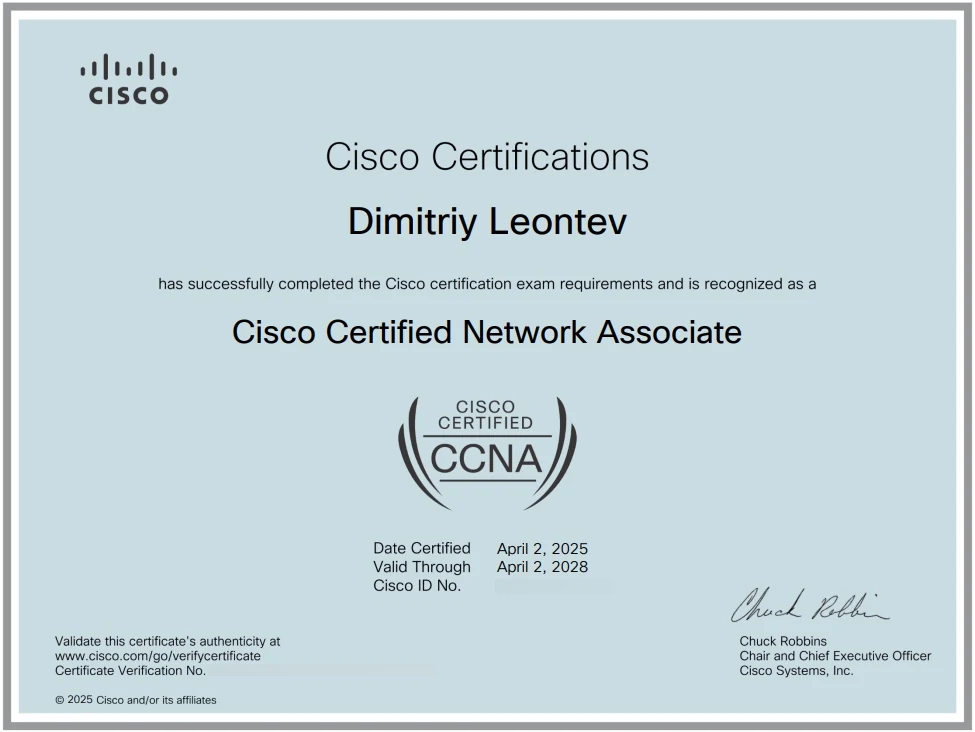
<p>To launch this blog, I’m sharing the complete blueprint I used to pass the CCNA 200-301: a repeatable framework designed to turn information overload into a structured, confident study plan.</p>

<p>My goal is simple: to share the exact map that got me to the finish line.</p>

<p>Welcome, and let’s get you certified.</p>

<figure class="figure">
  
  <img src="/assets/blog/2025-07-01-ccna-ocg/ccna-certificate.webp" srcset="/assets/blog/2025-07-01-ccna-ocg/ccna-certificate-800.webp 800w, /assets/blog/2025-07-01-ccna-ocg/ccna-certificate.webp 975w" sizes="(max-width: 767px) calc(100vw - 48px), 850px" width="975" height="732" loading="eager" decoding="async" alt="Cisco CCNA certificate earned by Dimitriy Leontev" />
  
  <figcaption>This was the destination. The blueprint in this post was the path.</figcaption>
</figure>

<details class="article-toc">
  <summary>On this page</summary>
  <nav aria-label="On this page">

<ul id="markdown-toc">
  <li><a href="#my-core-philosophy-the-learn-lab-test-triangle" id="markdown-toc-my-core-philosophy-the-learn-lab-test-triangle">My Core Philosophy: The Learn, Lab, Test Triangle</a></li>
  <li><a href="#-pillar-1-building-the-foundation-learn" id="markdown-toc--pillar-1-building-the-foundation-learn">📚 Pillar 1: Building the Foundation (Learn)</a>    <ul>
      <li><a href="#wendell-odoms-ccna-200-301-official-cert-guide-the-bedrock" id="markdown-toc-wendell-odoms-ccna-200-301-official-cert-guide-the-bedrock">Wendell Odom’s CCNA 200-301 Official Cert Guide: The Bedrock</a>        <ul>
          <li><a href="#how-i-used-it" id="markdown-toc-how-i-used-it">How I Used It</a></li>
        </ul>
      </li>
      <li><a href="#jeremys-it-lab-youtubeudemy-the-daily-driver" id="markdown-toc-jeremys-it-lab-youtubeudemy-the-daily-driver">Jeremy’s IT Lab (YouTube/Udemy): The Daily Driver</a>        <ul>
          <li><a href="#how-i-used-it-1" id="markdown-toc-how-i-used-it-1">How I Used It</a></li>
        </ul>
      </li>
      <li><a href="#keith-barker-youtube-the-specialist" id="markdown-toc-keith-barker-youtube-the-specialist">Keith Barker (YouTube): The Specialist</a>        <ul>
          <li><a href="#how-i-used-it-2" id="markdown-toc-how-i-used-it-2">How I Used It</a></li>
        </ul>
      </li>
      <li><a href="#kevin-wallaces-training-the-high-level-view" id="markdown-toc-kevin-wallaces-training-the-high-level-view">Kevin Wallace’s Training: The High-Level View</a>        <ul>
          <li><a href="#how-i-used-it-3" id="markdown-toc-how-i-used-it-3">How I Used It</a></li>
        </ul>
      </li>
    </ul>
  </li>
  <li><a href="#️-pillar-2-forging-skills-lab" id="markdown-toc-️-pillar-2-forging-skills-lab">💻🛠️ Pillar 2: Forging Skills (Lab)</a>    <ul>
      <li><a href="#tool-1---cisco-packet-tracer-the-sandbox" id="markdown-toc-tool-1---cisco-packet-tracer-the-sandbox">Tool #1 - Cisco Packet Tracer: The Sandbox</a>        <ul>
          <li><a href="#how-i-used-it-4" id="markdown-toc-how-i-used-it-4">How I Used It</a></li>
        </ul>
      </li>
      <li><a href="#tool-2---cisco-modeling-labs---personal-the-reality-check" id="markdown-toc-tool-2---cisco-modeling-labs---personal-the-reality-check">Tool #2 - Cisco Modeling Labs - Personal: The Reality Check</a>        <ul>
          <li><a href="#how-i-used-it-5" id="markdown-toc-how-i-used-it-5">How I Used It</a></li>
        </ul>
      </li>
    </ul>
  </li>
  <li><a href="#-pillar-3-validating-your-knowledge-test" id="markdown-toc--pillar-3-validating-your-knowledge-test">✅ Pillar 3: Validating Your Knowledge (Test)</a>    <ul>
      <li><a href="#boson-exsim-the-final-boss" id="markdown-toc-boson-exsim-the-final-boss">Boson ExSim: The Final Boss</a>        <ul>
          <li><a href="#protip-my-boson-strategy" id="markdown-toc-protip-my-boson-strategy">ProTip: My Boson Strategy</a></li>
        </ul>
      </li>
      <li><a href="#cbt-nuggets--keith-barkers-quizzes-the-knowledge-boosters" id="markdown-toc-cbt-nuggets--keith-barkers-quizzes-the-knowledge-boosters">CBT Nuggets &amp; Keith Barker’s Quizzes: The Knowledge Boosters</a>        <ul>
          <li><a href="#how-i-used-them" id="markdown-toc-how-i-used-them">How I Used Them</a></li>
        </ul>
      </li>
    </ul>
  </li>
  <li><a href="#final-thoughts" id="markdown-toc-final-thoughts">Final Thoughts</a></li>
</ul>

  </nav>
</details>

<h2 id="my-core-philosophy-the-learn-lab-test-triangle">My Core Philosophy: The Learn, Lab, Test Triangle</h2>

<p>Before we dive into the resources, let’s talk about strategy. Randomly watching videos and reading book chapters won’t get you there. You need a system. I built my entire study plan around a simple, powerful framework I call the “Learn, Lab, Test Triangle.”</p>

<p>It works like this:</p>

<ol>
  <li><strong>Learn (Theory &amp; Concepts):</strong> You can’t configure what you don’t understand. This is the foundational stage where you absorb the “what” and the “why” through books and video courses.</li>
  <li><strong>Lab (Hands-On Application):</strong> Theory is useless until you apply it. This is where knowledge turns into skill. In the lab, you get your hands dirty on the command line, building, breaking, and fixing networks.</li>
  <li><strong>Test (Knowledge Validation):</strong> How do you know what you don’t know? After covering a large portion of the topics, this is the final, critical phase to find your weak spots and bridge the gap between knowing the material and being truly exam-ready.</li>
</ol>

<p>This cycle, <strong>Learn, Lab, Test</strong>, and repeat, was the engine that drove my progress.</p>

<h2 id="-pillar-1-building-the-foundation-learn">📚 Pillar 1: Building the Foundation (Learn)</h2>

<p>This is where it all begins. A solid theoretical understanding is non-negotiable.</p>

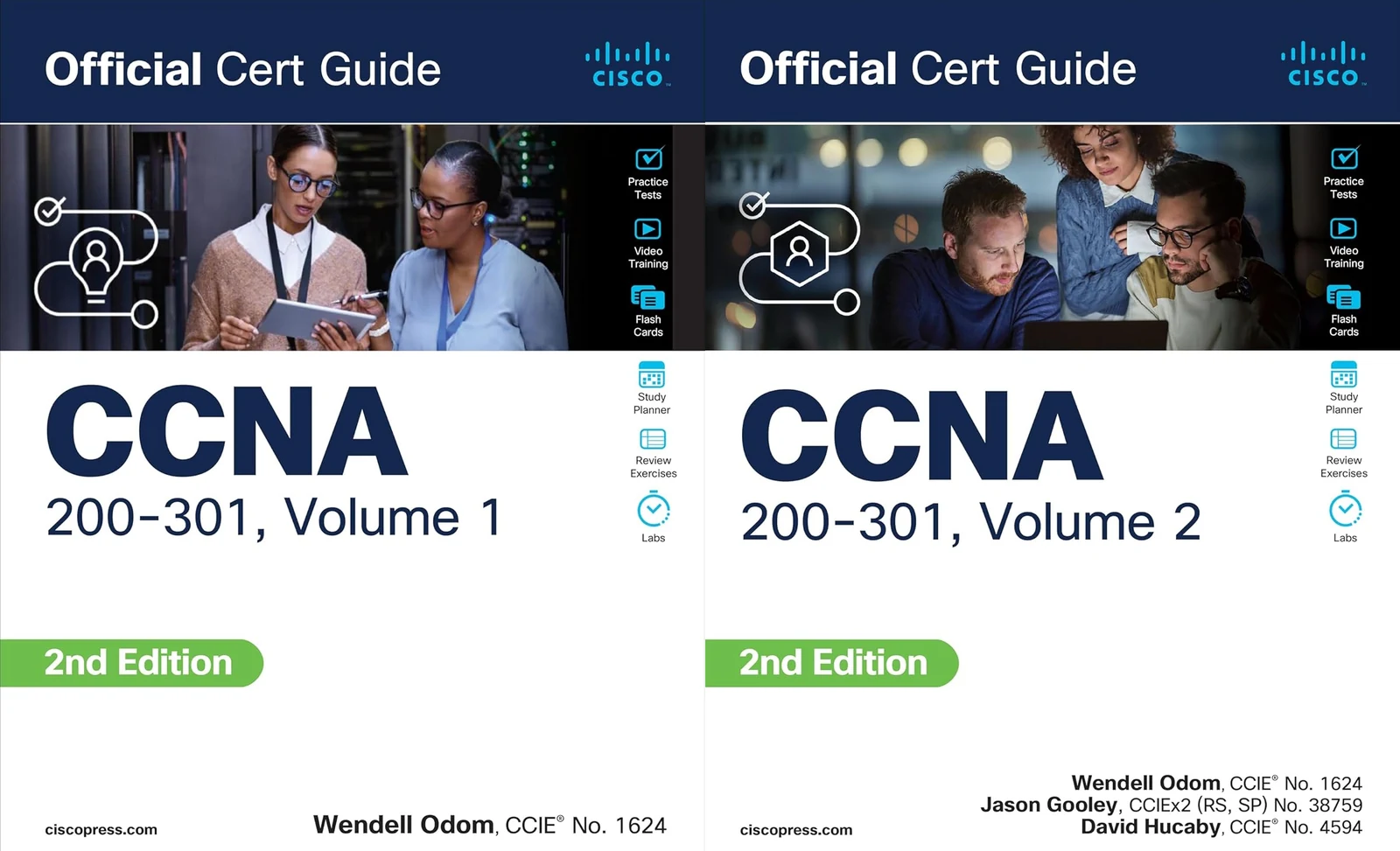
<h3 id="wendell-odoms-ccna-200-301-official-cert-guide-the-bedrock"><a href="https://www.ciscopress.com/store/ccna-200-301-official-cert-guide-library-9780138221393" target="_blank">Wendell Odom’s CCNA 200-301 Official Cert Guide</a>: The Bedrock</h3>
<p>This two-volume set is the definitive gold standard for a reason. Wendell’s extensive writing experience shines through in every chapter. His ability to walk you through incredibly complex concepts in a detailed, step-by-step manner is unmatched. This depth is essential for building a true, lasting understanding of the technology.</p>

<h4 id="how-i-used-it">How I Used It</h4>
<p>I treated this as my primary textbook. I would often pre-read a chapter before watching a video on the topic, or I’d circle back to it after a lab session if a concept felt fuzzy. The “Do I Know This Already?” quizzes at the start of each chapter are fantastic for gauging your baseline knowledge, and I made sure to complete the review exercises at the end of each chapter to truly solidify the concepts.</p>

<figure class="figure">
  
  <img src="/assets/blog/2025-07-01-ccna-ocg/odom-cert-guide.webp" srcset="/assets/blog/2025-07-01-ccna-ocg/odom-cert-guide-800.webp 800w, /assets/blog/2025-07-01-ccna-ocg/odom-cert-guide.webp 1600w" sizes="(max-width: 767px) calc(100vw - 48px), 850px" width="1600" height="973" loading="lazy" decoding="async" alt="Wendell Odom CCNA 200-301 Official Cert Guide volumes" />
  
  <figcaption>The cornerstone of my theoretical studies. The level of detail in Odom&#39;s guide is unmatched.</figcaption>
</figure>

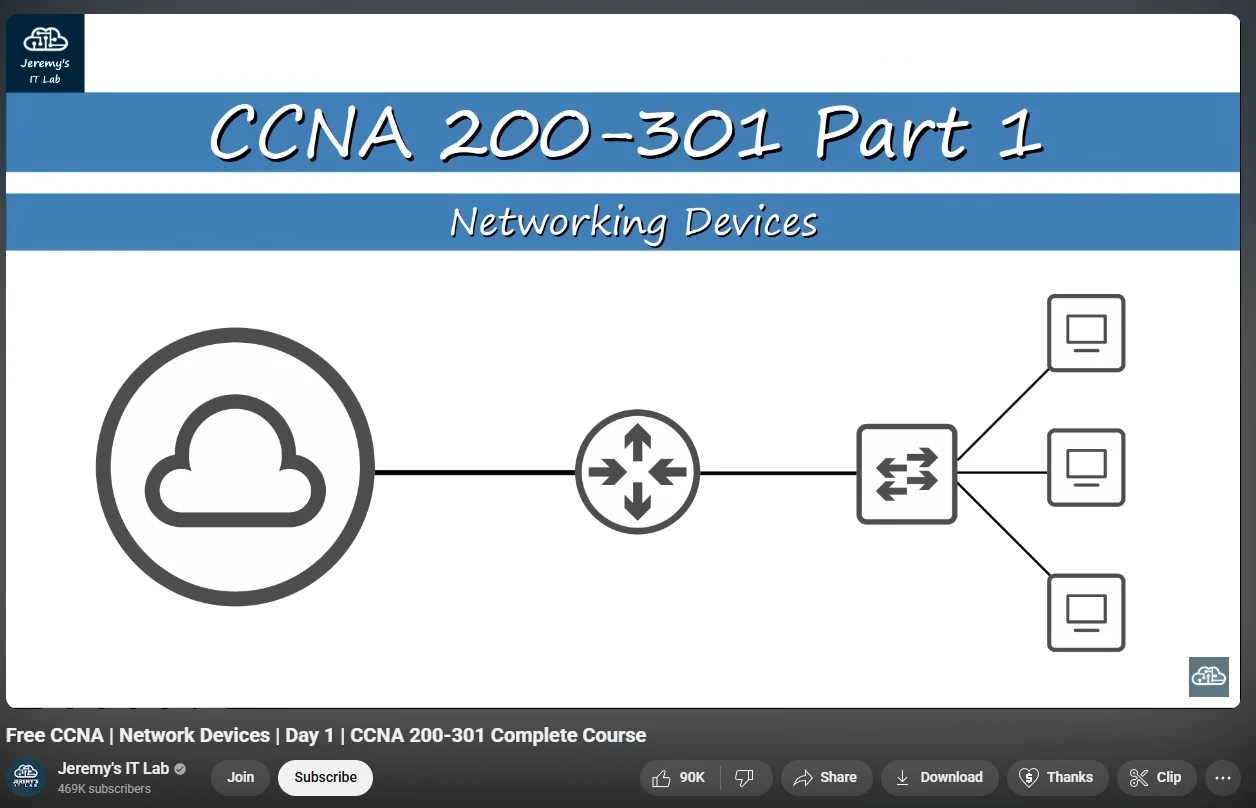
<h3 id="jeremys-it-lab-youtubeudemy-the-daily-driver"><a href="https://www.youtube.com/watch?v=H8W9oMNSuwo&amp;list=PLxbwE86jKRgMpuZuLBivzlM8s2Dk5lXBQ" target="_blank">Jeremy’s IT Lab (YouTube/Udemy)</a>: The Daily Driver</h3>
<p>Jeremy’s free course on YouTube is a masterpiece of clarity. He covers every single exam objective in a methodical, easy-to-follow way. What I particularly appreciate is his direct, no-fluff teaching style; he gets straight to the point without wasting time on personal anecdotes or jokes, maximizing learning efficiency.</p>

<h4 id="how-i-used-it-1">How I Used It</h4>
<p>This was my daily video content. My routine was simple: watch one of Jeremy’s videos, take detailed notes, and then immediately move on to the corresponding lab he provides. This 1:1 mapping of video-to-lab was crucial. Crucially, his labs don’t hold your hand; they give you the objective and expect you to apply what you’ve learned, which is fantastic for building true problem-solving skills.</p>

<figure class="figure">
  
  <img src="/assets/blog/2025-07-01-ccna-ocg/jeremys-it-lab.webp" srcset="/assets/blog/2025-07-01-ccna-ocg/jeremys-it-lab-800.webp 800w, /assets/blog/2025-07-01-ccna-ocg/jeremys-it-lab.webp 1256w" sizes="(max-width: 767px) calc(100vw - 48px), 850px" width="1256" height="808" loading="lazy" decoding="async" alt="Jeremy’s IT Lab CCNA video course" />
  
  <figcaption>Jeremy&#39;s IT Lab offers a comprehensive video course covering all CCNA exam topics.</figcaption>
</figure>

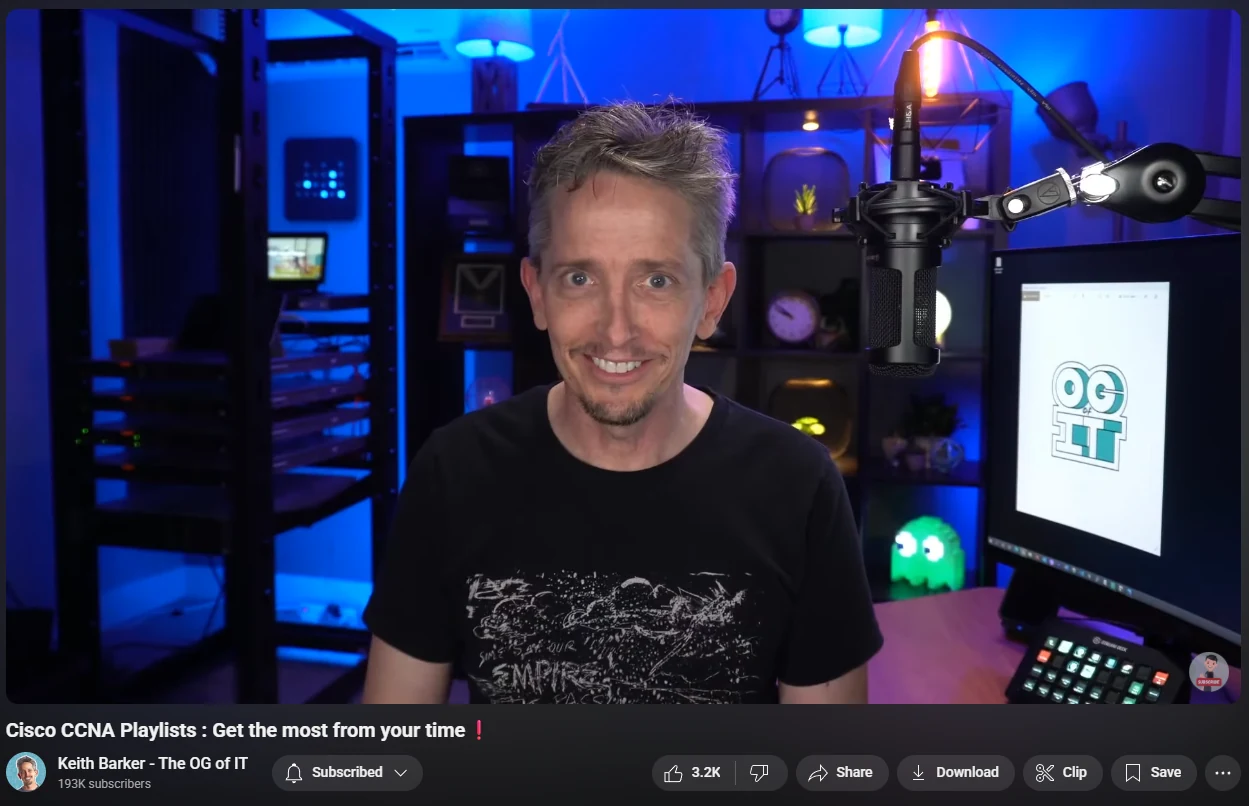
<h3 id="keith-barker-youtube-the-specialist"><a href="https://www.youtube.com/watch?v=8AX9LandYJU&amp;list=PLQQoSBmrXmrysEaVNia7KVwf85qATIi1V" target="_blank">Keith Barker (YouTube)</a>: The Specialist</h3>
<p>Sometimes, a concept just doesn’t click. That’s where Keith Barker comes in. His energy is infectious and his teaching style is truly unique. More than just clarifying a topic, he has a gift for making you fall in love with networking. He can take a complex subject and make it feel not only simple but exciting.</p>

<h4 id="how-i-used-it-2">How I Used It</h4>
<p>Whenever I felt stuck on a specific topic like VTP, EtherChannel, or OSPF LSA types, I’d search for Keith’s video on it. His explanations were like a lightbulb turning on, perfect for reinforcing a single concept I was struggling with.</p>

<figure class="figure">
  
  <img src="/assets/blog/2025-07-01-ccna-ocg/keith-barker.webp" srcset="/assets/blog/2025-07-01-ccna-ocg/keith-barker-800.webp 800w, /assets/blog/2025-07-01-ccna-ocg/keith-barker.webp 1249w" sizes="(max-width: 767px) calc(100vw - 48px), 850px" width="1249" height="806" loading="lazy" decoding="async" alt="Keith Barker networking training channel" />
  
  <figcaption>Whenever I was stuck, Keith Barker&#39;s energetic explanations helped the concepts click.</figcaption>
</figure>

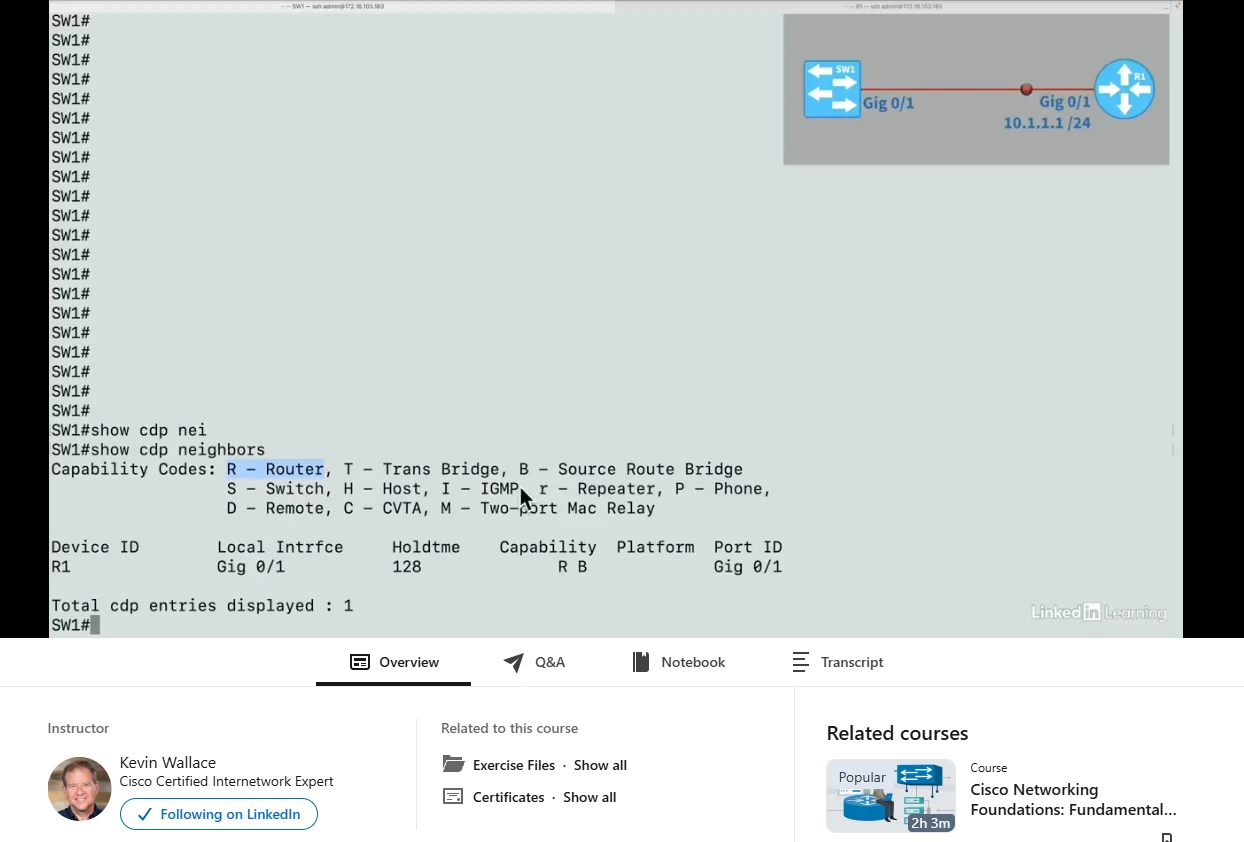
<h3 id="kevin-wallaces-training-the-high-level-view"><a href="https://www.linkedin.com/learning/cisco-certified-network-associate-ccna-v1-1-200-301-cert-prep" target="_blank">Kevin Wallace’s Training</a>: The High-Level View</h3>
<p>It’s easy to get “learning tunnel vision” when you’re deep in one resource. Kevin Wallace’s course offered a different perspective, which I found incredibly valuable.</p>

<h4 id="how-i-used-it-3">How I Used It</h4>
<p>Early in my studies, I used this course to get a high-level overview. It helped me see the forest before diving into the individual trees with Odom’s guide. It also works great as a final review to tie everything together.</p>

<figure class="figure">
  
  <img src="/assets/blog/2025-07-01-ccna-ocg/kevin-wallace.webp" srcset="/assets/blog/2025-07-01-ccna-ocg/kevin-wallace-800.webp 800w, /assets/blog/2025-07-01-ccna-ocg/kevin-wallace.webp 1244w" sizes="(max-width: 767px) calc(100vw - 48px), 850px" width="1244" height="842" loading="lazy" decoding="async" alt="Kevin Wallace CCNA training course" />
  
  <figcaption>A great resource for getting a high-level overview or a final review.</figcaption>
</figure>

<h2 id="️-pillar-2-forging-skills-lab">💻🛠️ Pillar 2: Forging Skills (Lab)</h2>

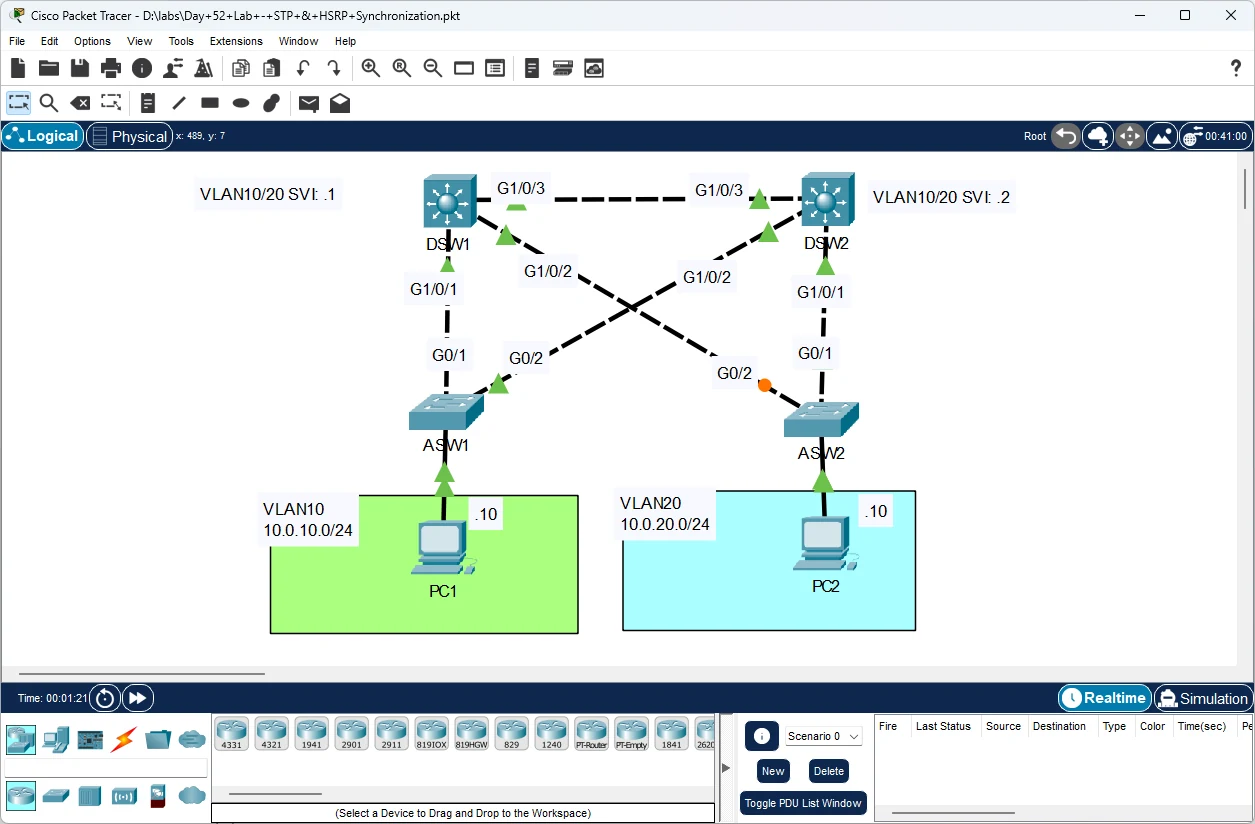
<p>There is absolutely no substitute for hands-on practice. The CCNA is a practical exam, and the command-line interface (CLI) needs to feel like home. My approach combined dedicated lab tools with excellent sources for practical examples, like Jeremy’s IT Lab and <a href="https://www.certskills.com/" target="_blank">Wendell Odom’s CertSkills Blog</a>, to ensure I understood the concepts from multiple angles.</p>

<h3 id="tool-1---cisco-packet-tracer-the-sandbox">Tool #1 - <a href="https://www.netacad.com/courses/packet-tracer" target="_blank">Cisco Packet Tracer</a>: The Sandbox</h3>
<p>This free tool from Cisco is absolutely indispensable. It’s a network simulator that is perfect for building topologies, getting comfortable with the CLI, and testing 90% of the concepts on the CCNA exam.</p>

<h4 id="how-i-used-it-4">How I Used It</h4>
<p>I lived in Packet Tracer. It was my virtual lab bench for all of Jeremy’s IT Lab exercises and for building my own custom topologies to test “what if” scenarios. Don’t be afraid to break things here: that’s the point!</p>

<figure class="figure">
  
  <img src="/assets/blog/2025-07-01-ccna-ocg/packet-tracer.webp" srcset="/assets/blog/2025-07-01-ccna-ocg/packet-tracer-800.webp 800w, /assets/blog/2025-07-01-ccna-ocg/packet-tracer.webp 1255w" sizes="(max-width: 767px) calc(100vw - 48px), 850px" width="1255" height="824" loading="lazy" decoding="async" alt="Cisco Packet Tracer network simulation workspace" />
  
  <figcaption>I spent countless hours in Packet Tracer. It&#39;s an essential (and free!) learning tool.</figcaption>
</figure>

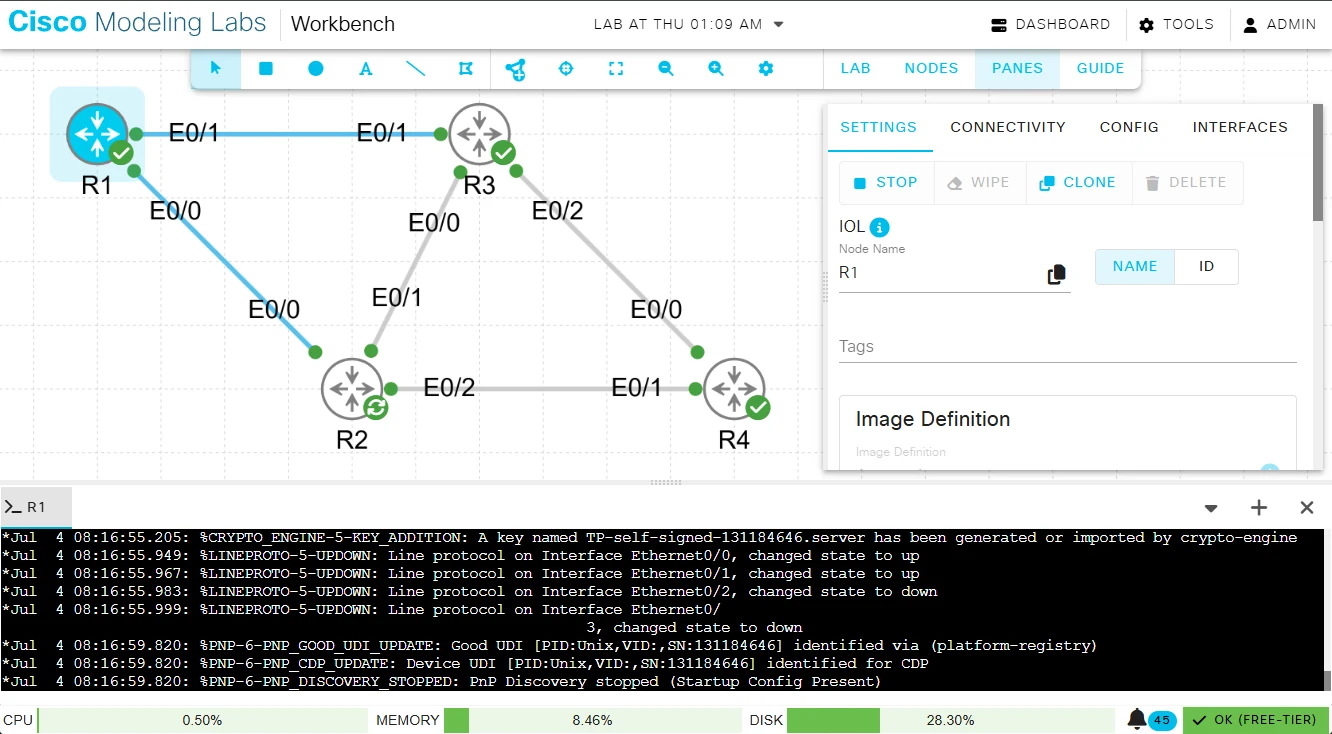
<h3 id="tool-2---cisco-modeling-labs---personal-the-reality-check">Tool #2 - <a href="https://developer.cisco.com/modeling-labs/" target="_blank">Cisco Modeling Labs - Personal</a>: The Reality Check</h3>
<p>While Packet Tracer is a fantastic simulator, CML is an emulator that runs real Cisco IOS images. This provides a more accurate and authentic lab experience. Its initial setup requires more effort compared to the plug-and-play nature of Packet Tracer, as it needs to be run as a virtual machine (VM) in a hypervisor like VMWare Workstation or VirtualBox. However, this effort is absolutely worth it for the realism it provides.</p>

<h4 id="how-i-used-it-5">How I Used It</h4>
<p>After getting comfortable with concepts in Packet Tracer, I used CML to get a feel for a real Cisco IOS environment. Experiencing the subtle differences in command output and behavior provides a valuable reality check that builds confidence for real-world scenarios.</p>

<figure class="figure">
  
  <img src="/assets/blog/2025-07-01-ccna-ocg/cml-dashboard.webp" srcset="/assets/blog/2025-07-01-ccna-ocg/cml-dashboard-800.webp 800w, /assets/blog/2025-07-01-ccna-ocg/cml-dashboard.webp 1332w" sizes="(max-width: 767px) calc(100vw - 48px), 850px" width="1332" height="734" loading="lazy" decoding="async" alt="Cisco Modeling Labs dashboard" />
  
  <figcaption>Cisco Modeling Labs (CML) offers a more realistic simulation, perfect for validating concepts learned in Packet Tracer.</figcaption>
</figure>

<h2 id="-pillar-3-validating-your-knowledge-test">✅ Pillar 3: Validating Your Knowledge (Test)</h2>

<p>Practice exams are not just for measuring your score; they are a critical learning tool. The goal is to find your weak spots and fix them before the real exam. The real value is in reviewing the answers you got wrong <em>and</em> the ones you got right.</p>

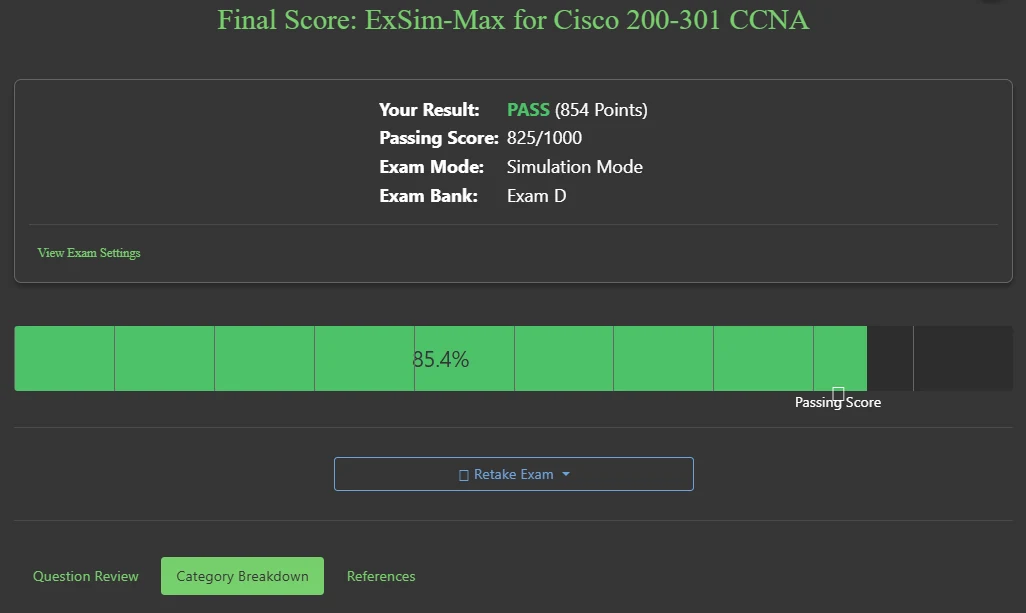
<h3 id="boson-exsim-the-final-boss"><a href="https://www.boson.com/practice-exam/200-301-cisco-ccna-practice-exam" target="_blank">Boson ExSim</a>: The Final Boss</h3>
<p>Yes, it’s pricey, but Boson ExSim was the single most important purchase I made for my final preparation. The questions are tough, the simulations are spot-on, and the detailed explanations for every single answer are worth their weight in gold. It felt incredibly close to the real exam.</p>

<h4 id="protip-my-boson-strategy">ProTip: My Boson Strategy</h4>
<p>I reserved Boson for my final preparation phase. My method was to take an exam in <strong>Simulation mode</strong> to replicate the pressure of the real test. Afterwards, I would spend hours meticulously reviewing every single question and its explanation, regardless of whether I got it right or wrong. The goal wasn’t just to see a score, but to understand the ‘why’ behind each answer. This deep review process allowed me to identify and patch up my weak spots, with the aim of improving with each attempt.</p>

<figure class="figure">
  
  <img src="/assets/blog/2025-07-01-ccna-ocg/boson-exsim.webp" srcset="/assets/blog/2025-07-01-ccna-ocg/boson-exsim-800.webp 800w, /assets/blog/2025-07-01-ccna-ocg/boson-exsim.webp 1026w" sizes="(max-width: 767px) calc(100vw - 48px), 850px" width="1026" height="613" loading="lazy" decoding="async" alt="Boson ExSim CCNA practice exam interface" />
  
  <figcaption>Boson ExSim was the closest thing to the real exam. The detailed explanations are where the real learning happens.</figcaption>
</figure>

<h3 id="cbt-nuggets--keith-barkers-quizzes-the-knowledge-boosters">CBT Nuggets &amp; Keith Barker’s Quizzes: The Knowledge Boosters</h3>
<p>These were my tools for continuous, lower-stakes testing to reinforce what I’d learned.</p>

<h4 id="how-i-used-them">How I Used Them</h4>
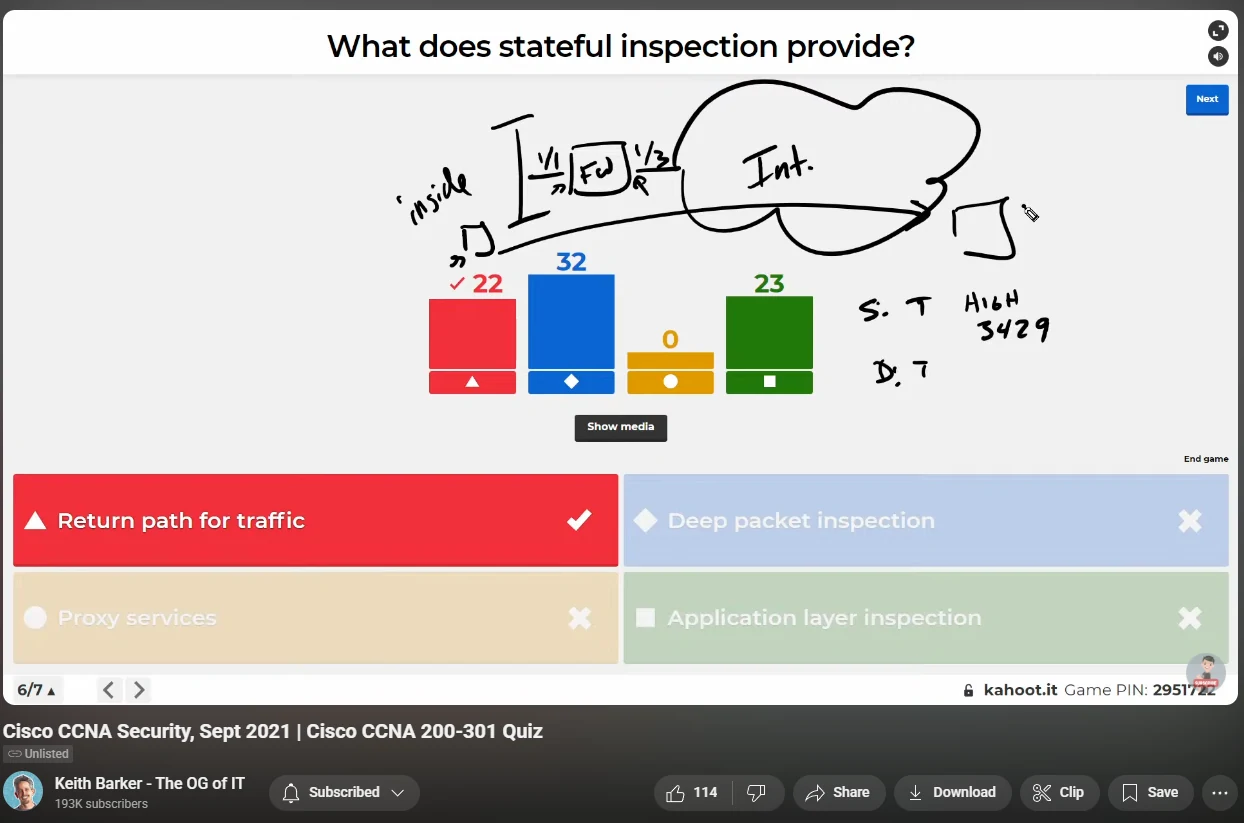
<p><a href="https://www.youtube.com/watch?v=3SNf40PSxwA&amp;list=PLQQoSBmrXmrwZD-0fZVMieVRjI4k-fowj" target="_blank">Keith Barker’s quiz playlists on YouTube</a> are a uniquely fun way to test your knowledge. These are recordings of his past interactive live sessions where viewers would answer questions in real-time against a countdown timer. Even though they are no longer live, watching them is incredibly valuable. You get to see how a live audience voted (which is often revealing), hear Keith’s condensed explanations, and pick up the valuable little tidbits he sprinkles in between questions. It’s an engaging and entertaining way to reinforce concepts.</p>

<p>I also used the <a href="https://www.cbtnuggets.com/it-training/cisco/ccna" target="_blank">CBT Nuggets CCNA course</a> (via their free trial) to get access to another pool of practice questions. This exposed me to different question phrasing and helped solidify concepts long before I faced the intensity of Boson.</p>

<figure class="figure">
  
  <img src="/assets/blog/2025-07-01-ccna-ocg/quizzes-composite.webp" srcset="/assets/blog/2025-07-01-ccna-ocg/quizzes-composite-800.webp 800w, /assets/blog/2025-07-01-ccna-ocg/quizzes-composite.webp 1244w" sizes="(max-width: 767px) calc(100vw - 48px), 850px" width="1244" height="823" loading="lazy" decoding="async" alt="Networking quiz resources from Keith Barker and CBT Nuggets" />
  
  <figcaption>I used playlists from Keith Barker and CBT Nuggets for regular knowledge checks throughout my studies.</figcaption>
</figure>

<hr />

<h2 id="final-thoughts">Final Thoughts</h2>

<p>The CCNA is a marathon, not a sprint. The key is to find a set of resources that work for you and apply them within a structured plan. Be consistent, stay curious, and don’t be afraid to struggle: that’s where the real learning happens. You can absolutely do this.</p>

<p>Beyond just passing an exam, earning the CCNA provides powerful, foundational knowledge. Regardless of the specific tech role you aspire to, whether it’s network engineering, cybersecurity, cloud, or even DevOps, a solid understanding of networking is the bedrock upon which everything else is built. This certification provides that essential foundation, opening doors to a multitude of roles and building the problem-solving mindset critical for a successful career in tech.</p>

<p>Thanks for reading my first-ever post. I’m excited to share more from my journey in tech, offering practical insights and guides along the way. Be sure to check back soon.</p>]]></content><author><name>Dimitriy Leontev</name><email>info@dleontev.com</email></author><category term="CCNA" /><category term="Networking" /><category term="Certifications" /><summary type="html"><![CDATA[The Exact Resources and Strategy I Used to Pass.]]></summary></entry></feed>